

Information about Aspeq Examinations
As you will have become familiar with the test format used on this website, it is worth noting that the examinations delivered by Aspeq will have a slightly different format.
Aspeq Exam Screen Layout
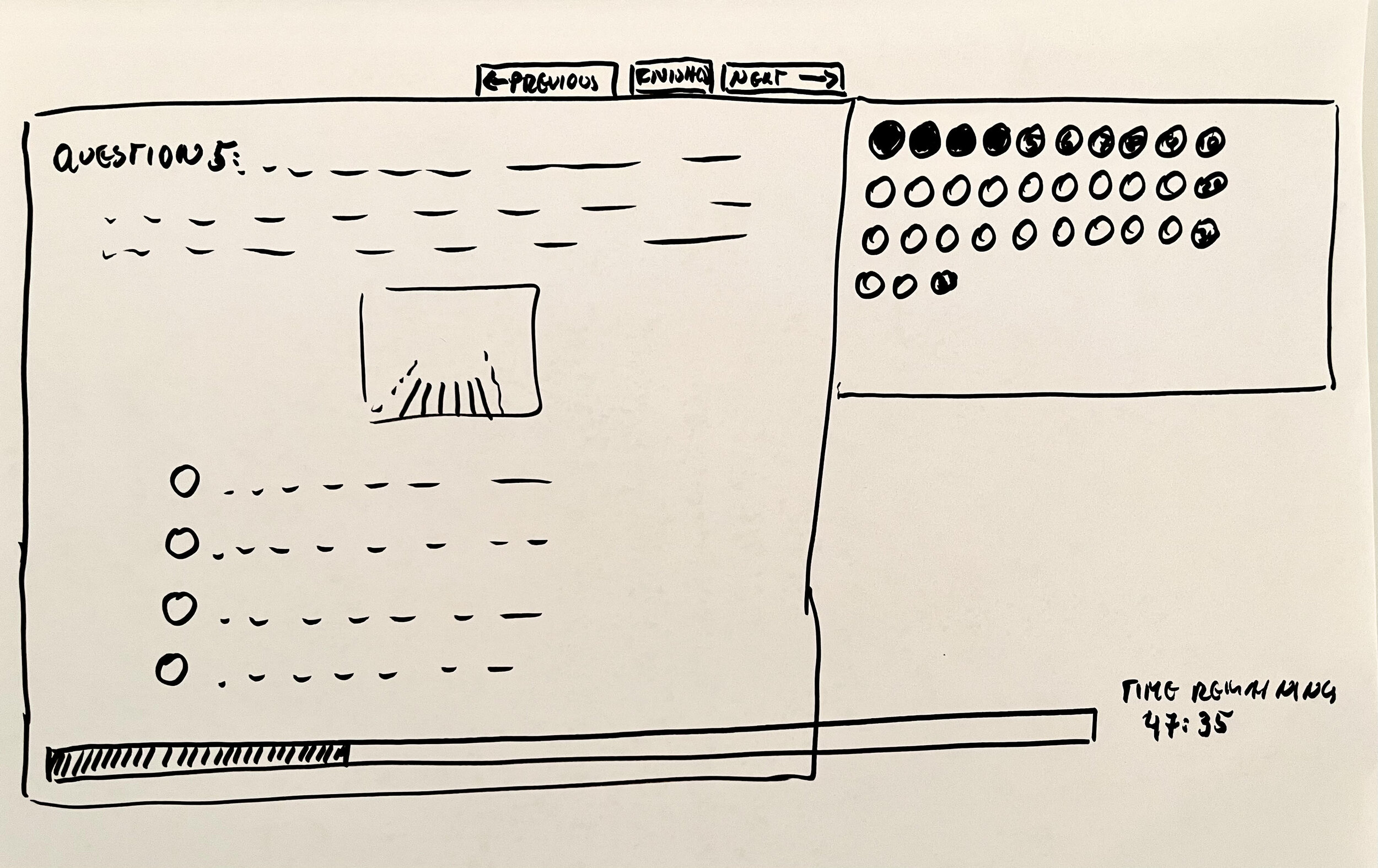
The screen is divided into 2 segments. One segment occupies about 2/3 of the screen and is used to display the current question, and the other occupies the other 1/3 of the screen and contains a progress bar and some other information as explained below.
Segment 1: Left 2/3 of the Screen
The questions are laid out in a manner that is almost identical to the familiar practice test on the website, except that only one question can be viewed at a time. Sometimes there is a need to scroll within the segment to view the question and its associated answers fully, when they are long and wordy, or in the case of a question that carries an attached image. The scroll bar is on the left hand side of this segment of the screen. There is a next and previous button to toggle between questions. You can switch between questions at any time without anything being affected, regardless of whether a question has been answered or not. There is also a finish button, but this will only become clickable when all questions have been answered.
Segment 2: Right 1/3 of the Screen
The progress bar comprises the other 1/3 of the screen, on the right hand side. At the top of this segment are small rings; one ring per question with the question number written inside the ring. The rings are arranged in rows of 10 or 12. When a specific question has been answered, the corresponding ring changes shade to indicate that the question has been answered. It is useful to note that the rings can be clicked, taking you directly to that specific question and avoiding the need to toggle through every by question using the next or previous buttons. The progress bar provides a visual indication of completion and turns more green as more questions are answered. A timer is also visible on this screen, such that progress can be visually compared with time remaining.
Exam Duration & Questions
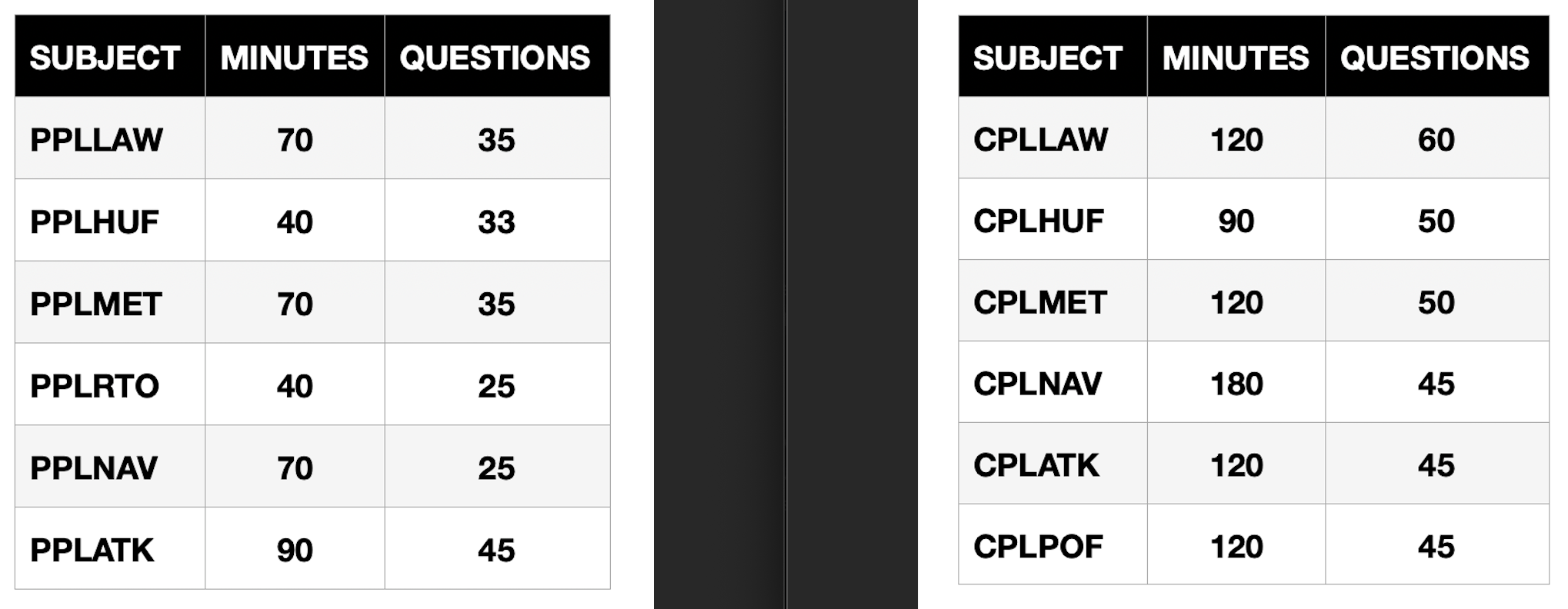
The maximum time permitted and number of questions for each exam is listed below:
All information on this page is current as of October 2026.